
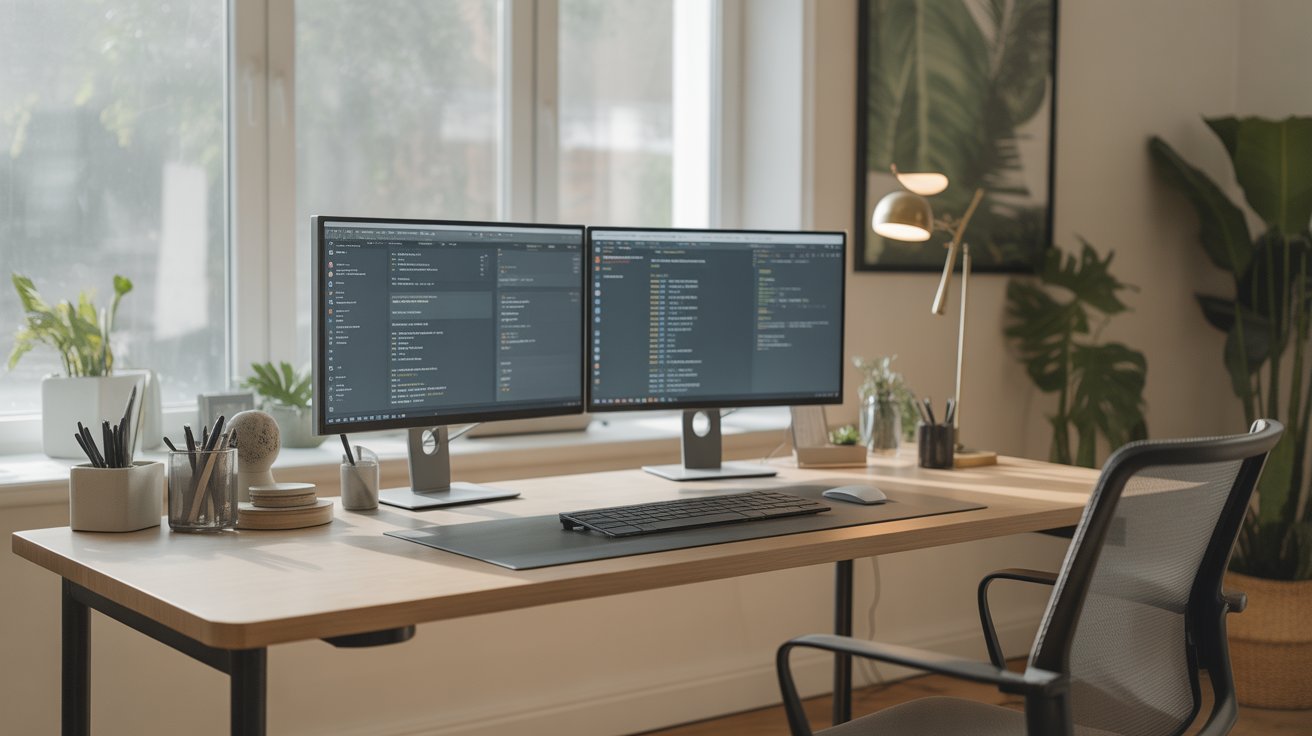
Best Home Office Setup Ideas to Boost Productivity Instantly
Best Home Office Setup Ideas to Boost Productivity Instantly
Working from home isn’t just a trend—it has become the new normal. Whether you’re a remote employee, freelancer, entrepreneur, or student, having a well-organized, comfortable, and productivity-focused home office setup affects how efficiently you work every single day. The right environment can dramatically boost your focus, creativity, energy levels, and output—sometimes instantly.
In this guide, you’ll discover the best home office setup ideas that boost productivity instantly—from ergonomics and lighting to tech gadgets, desk layout, organization systems, and decor psychology. These ideas are practical, affordable, and backed by proven productivity principles.
Let’s build a workspace you’ll actually love working in.
1. Choose the Right Location for Maximum Focus
Your environment shapes your productivity. The first step is choosing the right location for your home office.
What to look for:
A quiet corner away from noise
Natural light access
Proper ventilation
Minimal distractions
Enough space for a desk + chair
If you live in a small apartment or shared home, try setting up your office in:
A bedroom corner
A hallway nook
A repurposed closet (cloffice)
A corner of the living room
Even a tiny space can become a powerful productivity zone with the right setup.
2. Invest in an Ergonomic Chair (Your Back Will Thank You)
You spend hours sitting—so your chair is the most important part of your setup.
What an ergonomic chair should include:
Lumbar support
Adjustable height
Armrests
Recline feature
Breathable mesh
Comfortable cushioning
A good ergonomic chair reduces:
Back pain
Shoulder stress
Neck discomfort
Fatigue
Instant productivity boost:
Better posture = better focus + longer comfortable work sessions.
3. Choose the Perfect Desk for Your Working Style
Your desk sets the physical and mental tone of your workspace.
Types of desks to consider:
Standing Desk
Improves energy, reduces fatigue, and boosts blood flow.
L-Shaped Desk
Perfect for people who multitask or use dual monitors.
Minimalist Desk
Ideal for small spaces and aesthetic setups.
Wall-Mounted Desk
Great for compact home office corners.
Pro tip:
Pick a desk that fits your room AND supports your workflow. If your space feels cramped, your mind will too.
4. Level Up with a Dual Monitor or Ultra-Wide Display
Studies show dual monitors increase productivity by 20–30% instantly.
Benefits:
More screen space
Smoother multitasking
Easier editing, designing, coding
Less tab switching
If you prefer a clean desk setup, an ultra-wide curved monitor is a beautiful and practical option.
Add a monitor arm for:
Better ergonomic positioning
More desk space
Cleaner cable management
5. Use Proper Lighting for Better Focus
Lighting affects mood, energy, and eye strain.
Types of lighting to boost productivity:
Natural Light
The biggest productivity booster. Set your desk near a window if possible.
LED Desk Lamp
Choose one with adjustable temperature:
Warm light → relaxing
Cool light → focused work
Daylight → reduces strain
Ring Light or Soft Light Panels
Perfect for video calls.
Bonus:
Lighting also improves the overall aesthetic and makes your workspace feel inspiring.
6. Organize Your Workspace with Smart Storage Solutions
Clutter kills productivity.
Here are ways to keep your desk clean and efficient:
Use:
Cable organizers
Drawer organizers
File shelves
Floating wall shelves
Desk organizers
Minimal storage carts
A clean workspace = a clear mind.
Quick win:
Adopt the “One-Touch Rule”—every item gets placed where it belongs instantly.
7. Upgrade Your Tech for Seamless Workflow
Your tools directly impact your productivity. Consider upgrading:
1. Mechanical or Ergonomic Keyboard
Reduces typing fatigue and increases speed.
2. Silent Mouse or Vertical Mouse
Better grip + less wrist strain.
3. Noise-Cancelling Headphones
Cuts distractions instantly—powerful for focus.
4. Laptop Stand
Improves posture and frees desk space.
5. USB Hub or Docking Station
Makes multiple device connections easy.
6. High-speed Wi-Fi router
Slow internet kills productivity.
Invest once, enjoy smooth workflow forever.
8. Improve Your Productivity with Desk Accessories
Small tools = giant results.
Must-have accessories:
Desk mat (improves typing comfort & aesthetics)
Monitor stand
Whiteboard or productivity board
Timer or Pomodoro device
Water bottle
Anti-fatigue footrest
Boost your setup with:
Sticky note pads
Pen holders
Cable ties
Smartphone stand
All these create an environment designed for efficiency.
9. Use Decor Psychology to Improve Your Mood
Your workspace should inspire you—not drain you.
Add small decor elements:
Plants (increase oxygen + reduce stress)
Minimal artwork
Motivational quotes
Vision board
Aesthetic desk lamp
Calming wall colors
Best colors for productivity:
Blue → focus
Green → calm
White → clarity
Beige → simplicity
Grey → modern feel
Your environment affects your mood, and your mood affects your performance.
10. Set Up Zones for Different Tasks
If you have space, create zones:
Work Zone
Desk, chair, monitor.
Reading Zone
Chair + lamp.
Planning Zone
Whiteboard + calendar.
Break Zone
A simple space to breathe, meditate, or relax.
This structure trains your brain to switch mindsets instantly.
11. Maintain a Clean, Distraction-Free Desk
Your desk should only have essentials:
Laptop/monitor
Keyboard
Mouse
Lamp
Notebook
Pen
Remove everything else.
A clean desk directly improves mental clarity and task focus.
12. Personalize Your Workspace for Motivation
Your home office should reflect your personality.
Add:
Photos you love
Good-smelling candles
A digital clock
A stylish coaster
A plant or mini vase
When your workspace feels “you,” you naturally enjoy working more.
13. Use Productivity Apps to Stay Organized
Digital organization matters too.
Recommended apps:
Notion – planning & notes
Trello – project tracking
Google Calendar – time management
Forest – focus sessions
Evernote – writing & collecting ideas
A well-organized digital system enhances workflow speed dramatically.
14. Add Soundscapes to Boost Concentration
Music boosts productivity—if used properly.
Best focus audio:
Lo-fi beats
Rain sounds
Brown noise
Nature sounds
Focus playlists
Try working with music that has no lyrics to minimize distraction.
15. Keep Everything Within Arm’s Reach
Productivity drops when you need to get up repeatedly for small things.
Keep these items near your desk:
Notebooks
Chargers
Headphones
Water bottle
Stationery
Important documents
This reduces interruptions and helps maintain flow state.
Final Thoughts
Creating the perfect home office setup doesn’t require a big budget—just smart choices. With the right chair, desk, lighting, organization, and accessories, you can transform any corner into a productivity powerhouse.
Every change—small or big—makes your work experience smoother, more comfortable, and more enjoyable.
When your workspace inspires you…
Your productivity skyrockets instantly.
